Daily bulletin with AI
Inspired by this post on X, and on my path to detach more and more from digital content consumption, I decided to create daily newspapers based on the blogs I follow.
The idea was to export all the feeds that I check daily on Inoreader and have a script that fetches the latest posts on those blogs and prints a summary of them in the form of a simple bulletin.
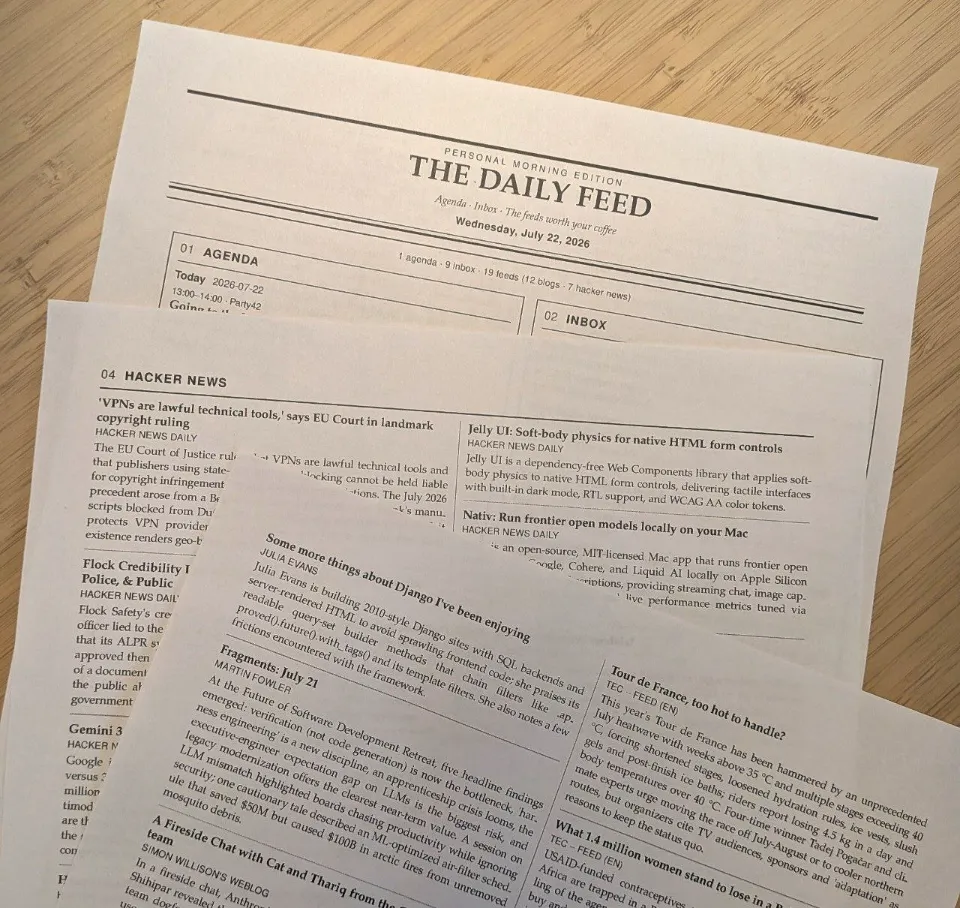
After adding emails and events to the initial implementation, here’s a sample of what gets automatically printed for me every morning:
How do I create the bulletin
Although these days the common wisdom is to start your projects in Codex or Claude Code and vibe with it, I prefer to start by working on a basic version by myself. Doing so, I can have a clear sense about how things work, how to guide the AI and the limitations of the implementation. When I have that semi-working version, I’d jump to my code harness to finish the job.
So the first thing I did was to make sure I can parse the OPML file and get the latest blog posts. The best solution I found was feedparser for Python. Using the library, I could parse the feeds and get the posts.
When I had it working, I switched to grok and guided it to turn the small script into fully functional app.
Hacker news
There was one exception among the blogs I follow: Top daily hacker news posts. I’m subscribed to a feed that everyday sends me the top hacker news posts. I added the case for the script to go fetch each item from the list. Thankfully the page was easy to parse to get the links.
Add emails and events
I have enabled Google connectors on Grok, which means I could ask grok to get the unread emails and events that I have for the day and add them to the daily paper.
Future
I’d love to somehow bring the data from Pensive to here: It would be great to have a “From yesterday” section on the bulletin.